HELP
How to Set Metric Rules for Your Team
A step-by-step walkthrough, with real screenshots, of the 3 configurable rules behind DORA and Flow Metrics.
Before you start
You'll need to be an Admin or Gestor. Go to Mapping Rules in the main nav for the organization-wide default, or open a team's page, click the gear icon, and choose Rules to override it for that team only. Team rules win over organization rules, which win over the system default — the screen shows a banner telling you which one applies right now.
Steps
1. Pick your scope
The page opens on the Semantic rules tab, with a scope switcher at the top. At organization scope, "0 of 6" means every rule family — work item type, deployment environment, incident severity, workflow states, epic grouping, cost classification — is falling back to the system default until you set one.
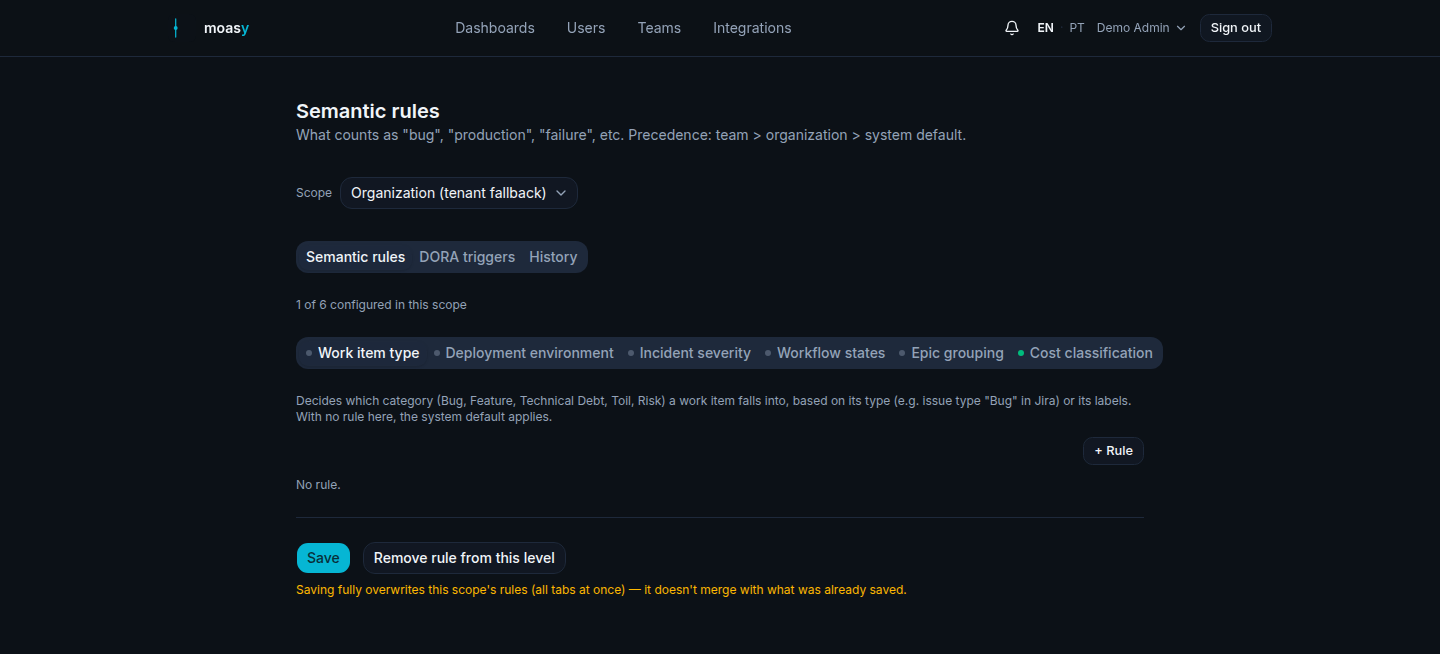
Illustrative data, for demonstration purposes only.
2. Classify work item types
On the Work item type sub-tab, click "+ Rule" to decide which category — Bug, Feature, Technical Debt, Toil or Risk — a work item falls into, based on its issue type or labels. Pick a match mode (ANY/ALL), a field like "Type (issue_type)", and the values observed in your synced data — "Bug", "Epic", "Story" here, pulled straight from what's actually in your tracker, not a fixed list.
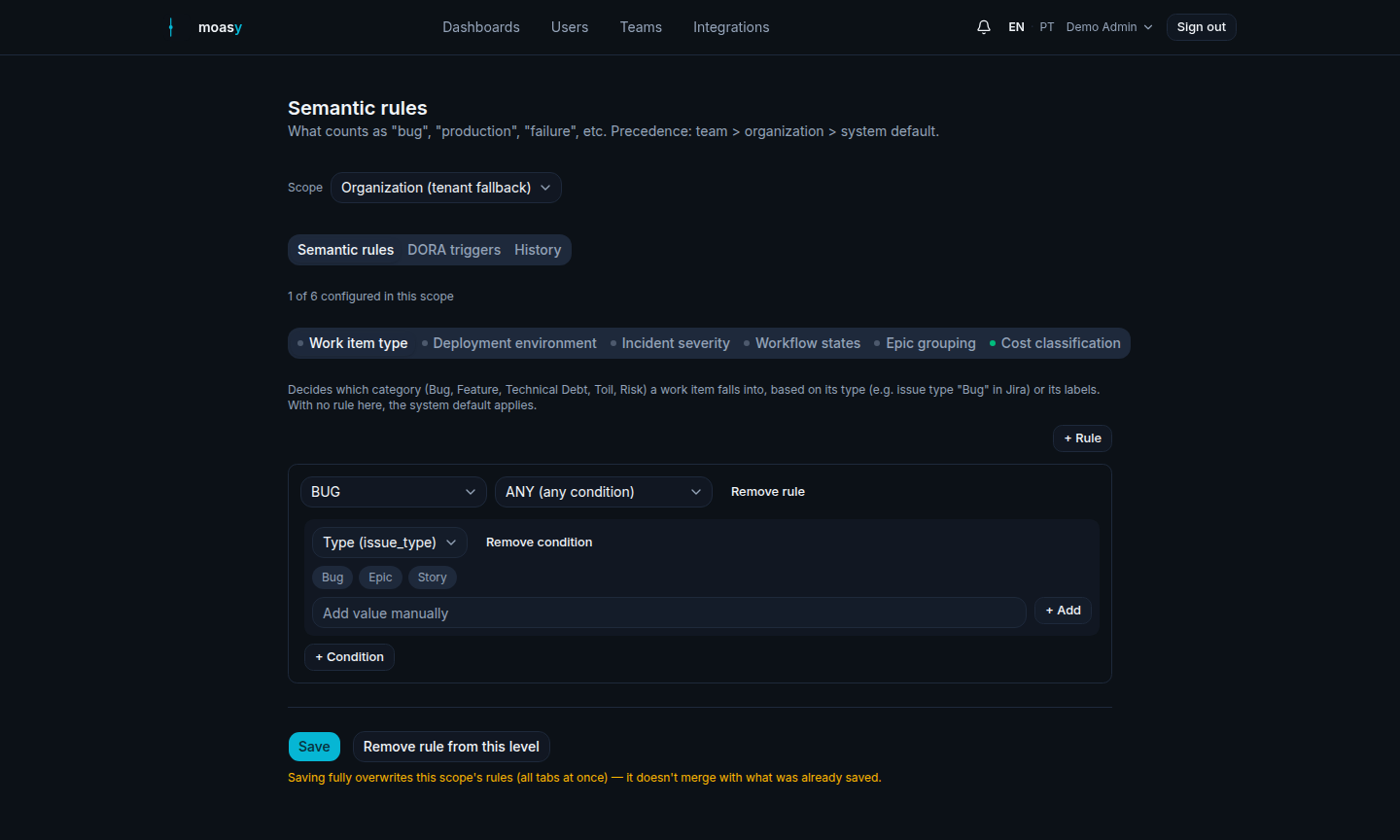
Illustrative data, for demonstration purposes only.
3. Define what counts as a production deploy
Switch to the Deployment environment sub-tab. This decides which deploys count as production for DORA metrics, based on the raw environment your CI/CD integration reports — "prod", "production", or whatever your pipeline actually calls it. With no rule here, the system default applies.
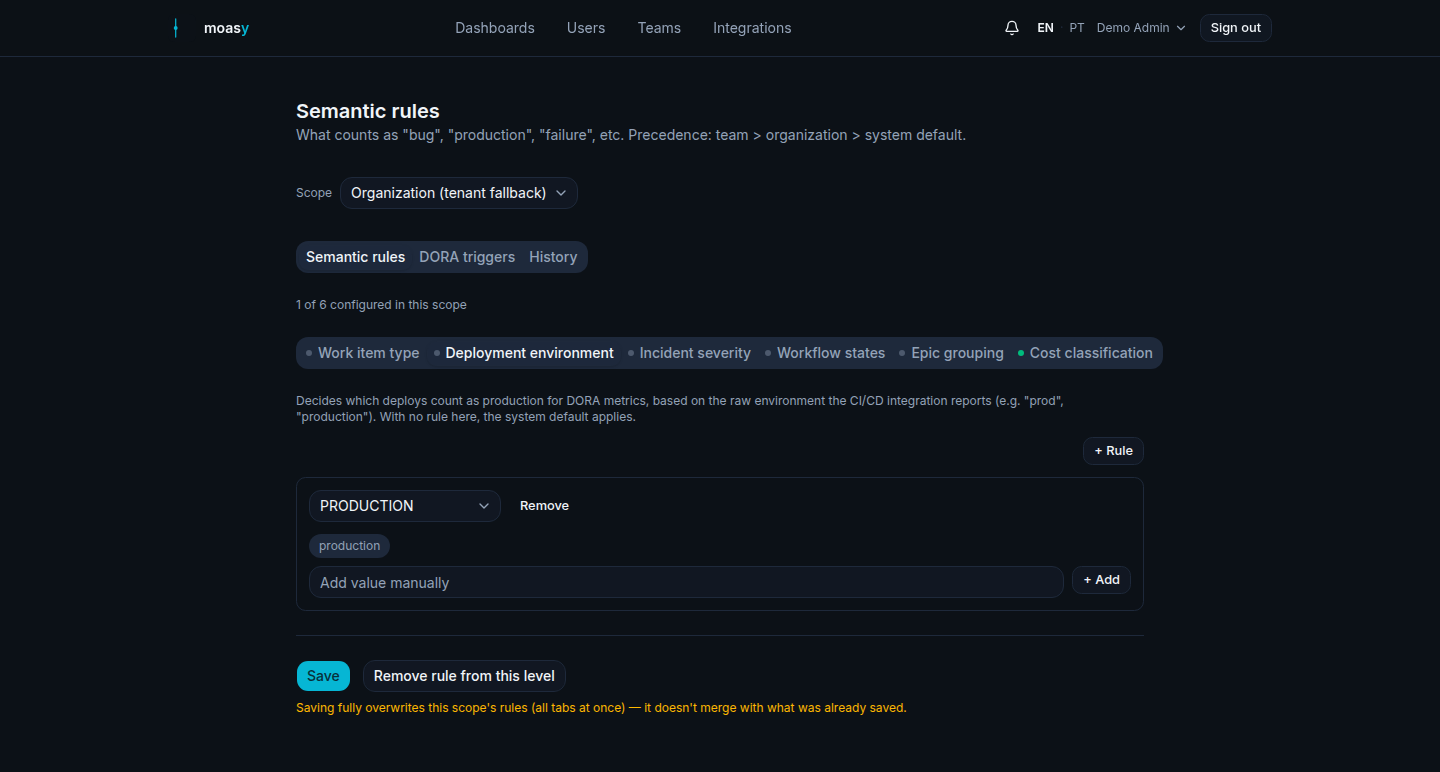
Illustrative data, for demonstration purposes only.
4. Set the incident correlation window
Switch to the DORA triggers tab — a different tab from Semantic rules, covering when each DORA metric starts and stops counting. Deployment Frequency's start event, Lead Time's start/end events, and Mean Time to Restore's start event all live here — and so does the field that answers "how long after a deploy does an incident still count against it": Correlation window (hours), under Change Failure Rate.
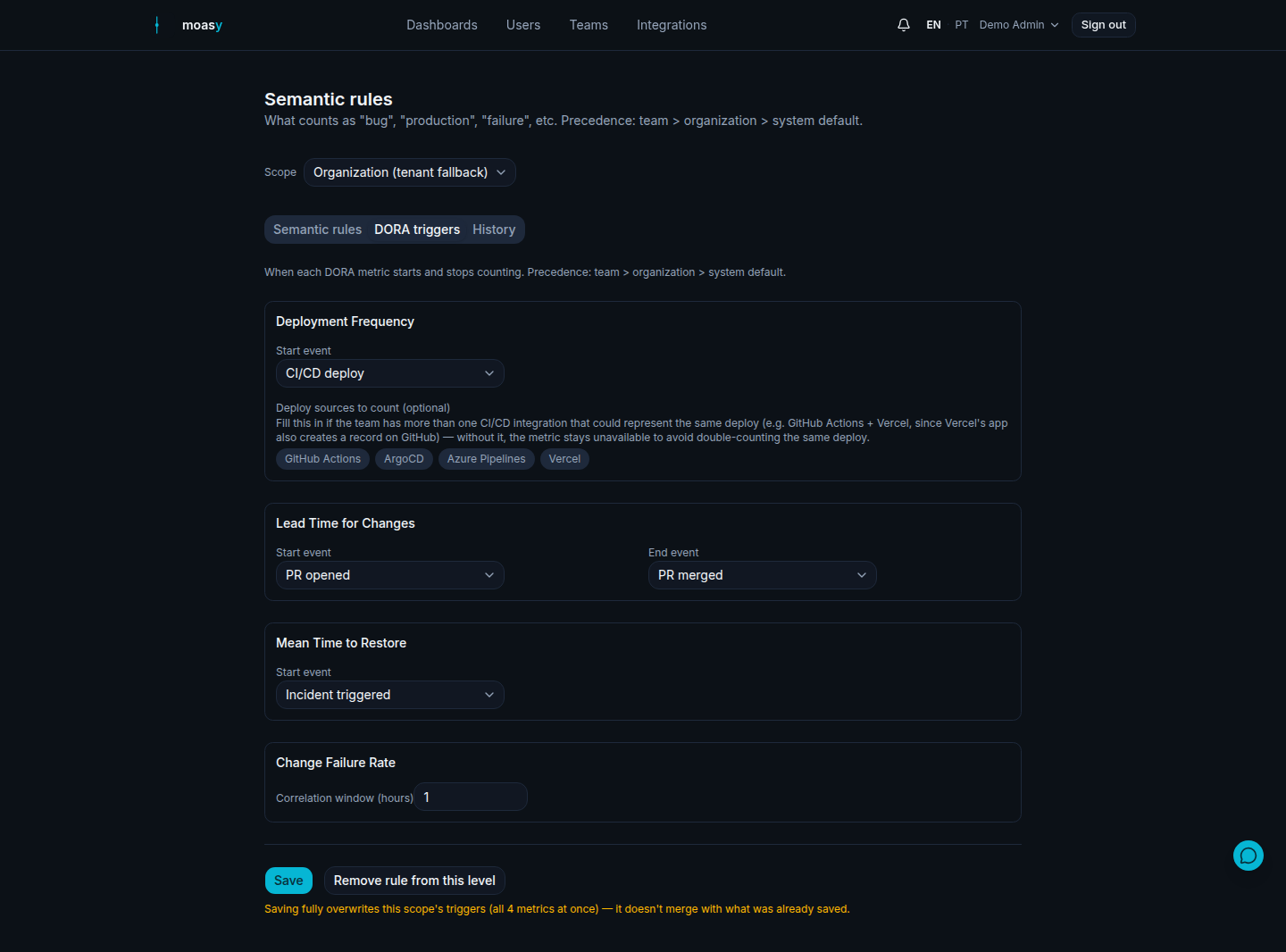
Illustrative data, for demonstration purposes only.
Related
See the full implementation on the DORA Metrics and Flow Metrics feature pages, or the tutorial for configuring the Cost Classification rule specifically.
Questions about metric rules
Does saving a rule reprocess data already synced?
Semantic rules and DORA triggers apply on read, not by tagging each item once — so a saved change affects past and future data immediately. One exception: if your raw data itself is stale, use "Force full resync" from the Integrations page instead of just saving a rule.
What if I connect two CI/CD tools to the same team?
You won't get a silently doubled deployment frequency. moasy.tech detects the risk of the same deploy being counted twice and shows the metric as unavailable until you pick which provider's deploys should count, in the "Deploy sources to count" field on the DORA triggers tab.
Should I configure this at the organization or team level?
Start at the organization level for a company-wide default. Override per team only when that team's definition of a deploy, an incident, or a category genuinely differs — team rules always win.
Set the rules for your own team
Get started free