GUIDE
Work in Progress (WIP): What It Is and Why It Matters
A core flow metric (also called Flow Load in the Flow Framework) — how many items are in progress at the same time.
What it measures
WIP is simply a count: how many items are currently in an "in progress" state (or equivalent) at once, for a team or an individual. It sounds almost too simple to matter, but it's one of the most consistently predictive numbers in flow-based thinking — largely because of what happens when it climbs too high.
Why it's a leading indicator
Most flow metrics are lagging — cycle time and throughput tell you what already happened. WIP is different: it's visible right now, and it predicts what cycle time is about to do. When people split attention across more in-progress items than they can realistically context-switch between, each individual item takes longer to finish — not because the work itself got harder, but because less continuous attention lands on any one thing. High WIP today reliably shows up as slow cycle time a few weeks later.
How to calculate it
Count items in an "in progress" (or equivalent) status at a point in time, or average that count over a period to smooth out day-to-day noise. Unlike cycle time or throughput, WIP doesn't need a completed item to measure — it's a snapshot of the present, which is part of why it's useful as an early warning rather than only a retrospective number.
A quick example: a 5-person team has 12 items in progress on a Wednesday. That's not automatically a problem, but a WIP-per-person figure — 2.4 here — is worth comparing against the same team's own number from a few weeks earlier. A team that was steady at 6-7 items and is now sitting at 12 with no change in headcount is showing the classic setup for a cycle-time increase, even before it shows up in that number.
A common trap
A WIP count only means something if "in progress" is kept honest — items that are technically started but actually abandoned (blocked for weeks, deprioritized without anyone updating the status) inflate the number without reflecting real active work. A WIP count that keeps climbing is sometimes a real overload problem and sometimes a board hygiene problem; worth checking which before reacting to the number.
How moasy.tech computes it
moasy.tech tracks WIP per team as its own signal, not buried inside a velocity or cycle time chart — recalculated automatically from what's already synced from Jira and Linear, read-only, with a week-by-week history so a spike is visible before it turns into a cycle time problem down the line.
See the other flow metrics in the full guide, or the complete implementation on the Flow Metrics feature page.
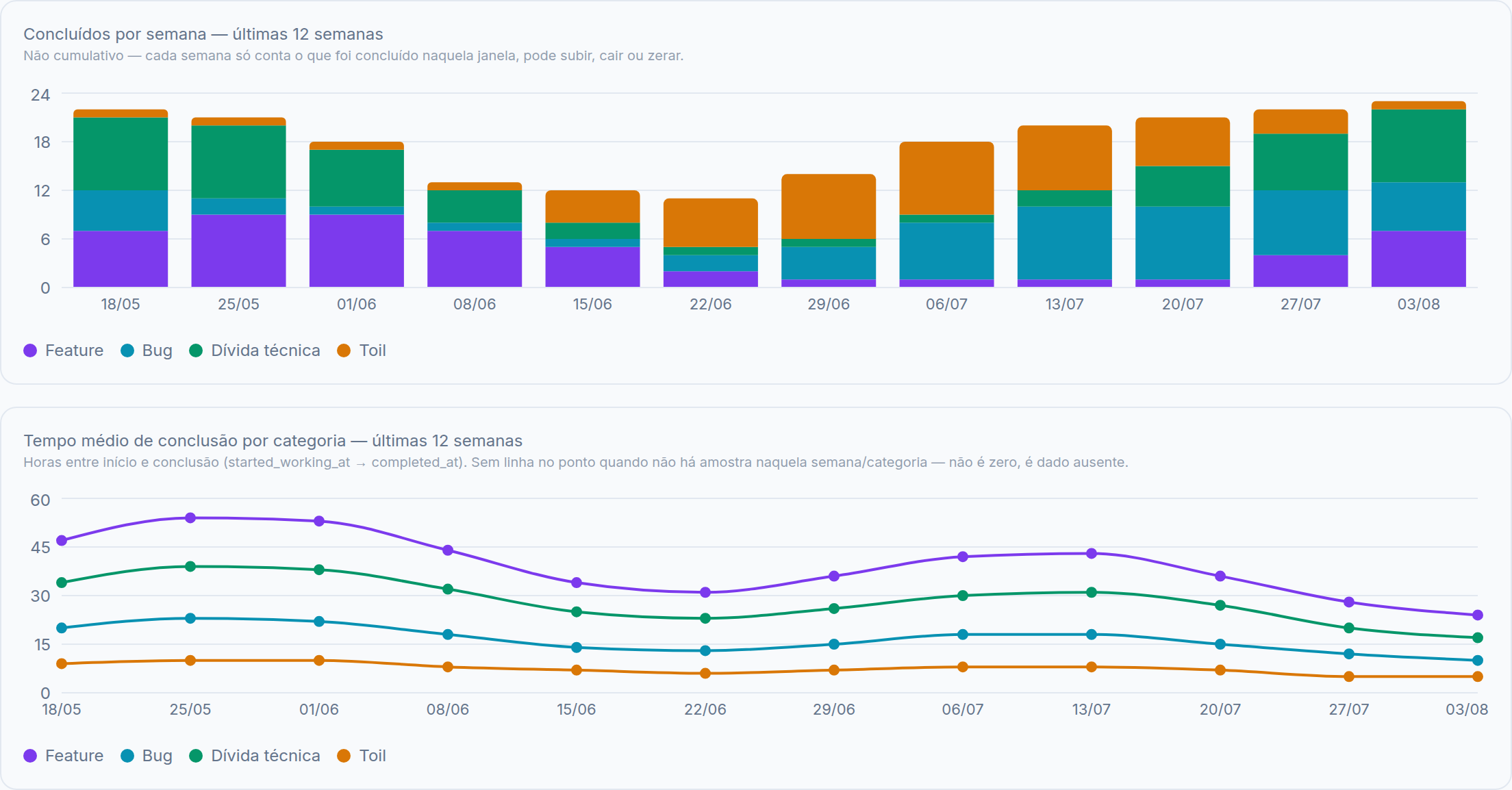
Illustrative data, for demonstration purposes only.
Questions about WIP
Is there an "ideal" WIP limit?
Not a universal one — it depends on team size and how much a person can realistically context-switch between. What matters more than a specific target number is watching the trend: a WIP count that's climbing is worth investigating before cycle time reflects it a few weeks later.
Does WIP include work waiting on someone else, like a blocked ticket?
Most teams count it, since it's still an item that's been started but not finished — and a growing count of blocked-but-in-progress items is itself a useful signal, separate from active work.
Is high WIP always bad?
Not inherently — it depends on team size and the type of work. What's worth watching is the trend relative to a team's own recent baseline, and whether cycle time starts stretching a few weeks after WIP climbs, which is the pattern that actually confirms a problem.
See your own WIP
Get started free