HELP
How to Invite Teammates and Assign Roles
A step-by-step walkthrough, with real screenshots — inviting is one step, assigning a role is a separate one.
Before you start
You'll need to be an Admin — the entire Users page is Admin-only. A Gestor or Usuario doesn't get a "view only" version of it; the page isn't reachable at all for those roles.
Steps
1. Invite by name and email
Go to Users in the main nav. Under the Overview tab, the Invite form only asks for a full name and an email address — click Invite and that person gets an invite email. There's no role field here; every invite starts with the same default role.
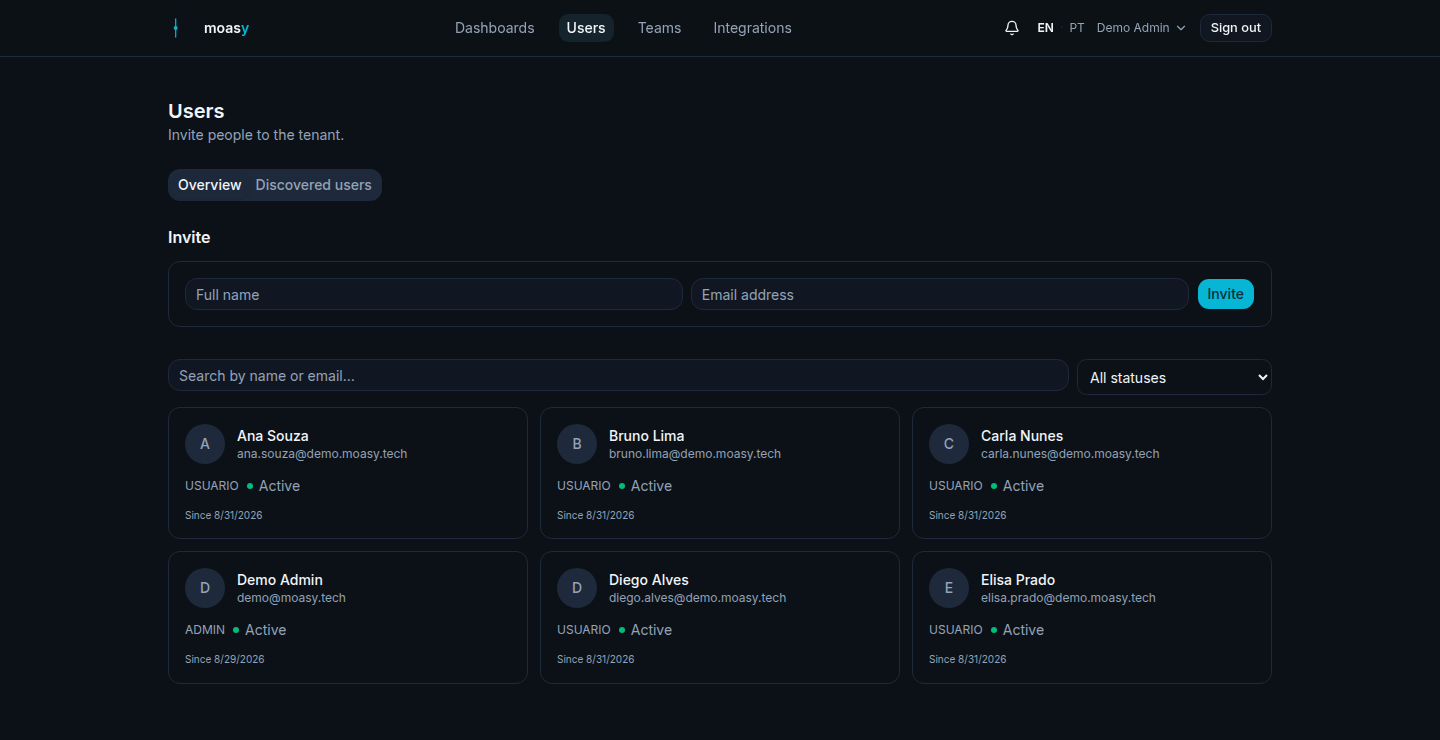
Illustrative data, for demonstration purposes only.
2. Open their profile and set the role
Click the new person's card to open their detail page, then the gear icon next to their status badge, then Edit. The dialog has their name, an avatar URL, and a Role selector — Admin, Gestor or Usuario. This is the only place role gets set; it's easy to expect it at invite time and not find it there.
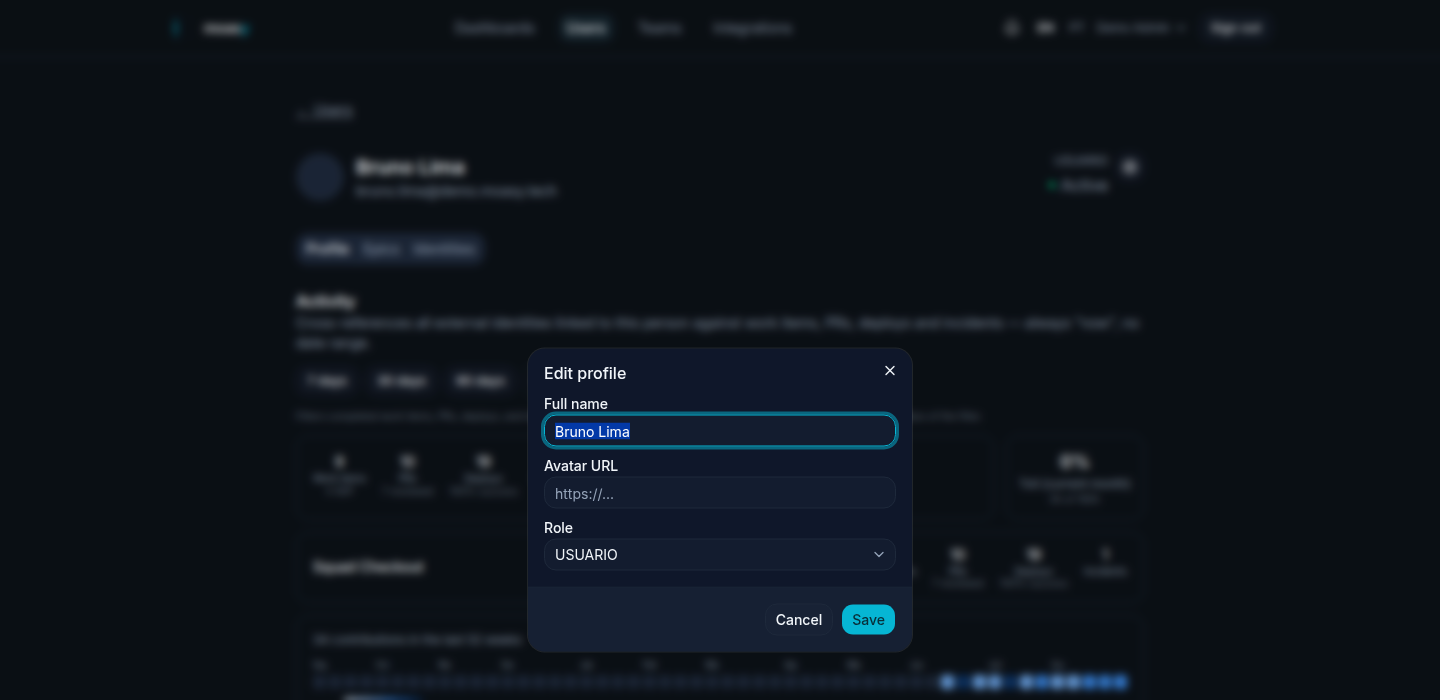
Illustrative data, for demonstration purposes only.
Questions about inviting and roles
Can I set the role while inviting, to skip the second step?
Not today — the invite form only takes a name and email. Role is always a separate step, from the invited person's own detail page after the invite goes out.
What if someone from a synced integration isn't a tenant user yet?
The "Discovered users" tab lists people found through synced GitHub, Jira and other integrations who don't have a moasy.tech account yet. From there you can invite them directly, or link them to an existing user if they're really the same person under a different identity.
Can I resend an invite or disable someone?
Yes — both live in the same gear-icon menu on a user's detail page: "Resend invite" while their status is still Invited, and Disable/Enable at any time.
Invite your own team
Get started free